Skip to content
View in the app

A better way to browse. Learn more.

BluegrassPreps.com

A full-screen app on your home screen with push notifications, badges and more.

To install this app on iOS and iPadOS
  1. Tap the Share icon in Safari
  2. Scroll the menu and tap Add to Home Screen.
  3. Tap Add in the top-right corner.
To install this app on Android
  1. Tap the 3-dot menu (⋮) in the top-right corner of the browser.
  2. Tap Add to Home screen or Install app.
  3. Confirm by tapping Install.

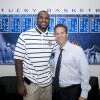
Jonathan Ferguson joins 3000 point club
Featured Replies

Congrats on great accomplishment Jonathan!

  • Replies 103
  • Views 8.6k
  • Created
  • Last Reply

Top Posters In This Topic

Congrats to Jonathan on this great accomplishment. That is an amazing feat. Does anybody know how many players have scored 3,000 points or more in their Ky. high school career? I can't imagine too many people would be on that list.

Congrats Ferg

CONGRATS FERG!!!!!!!!!


:dancingpa :dancingpa :dancingpa :dancingpa

Congrats to Ferg! An amazing accomplishment!:dancingpa

Congrats Ferg that is an amazing accomplishment.

Congrats to Jonathan Ferguson, 3,000 point club :eek:!! That is quite an accomplishment.:clap:

CONGRATS FERG!

YOU ROCK!


:dancingpa :ylsuper::ylsuper::ylsuper: :dancingpa

Congratulations to him on this accomplishment. :thumb: He joins the ranks of few that has acheived 3000 for their career in Kentucky basketball.

Congrats to Jonathan on this great accomplishment. That is an amazing feat. Does anybody know how many players have scored 3,000 points or more in their Ky. high school career? I can't imagine too many people would be on that list.


According to the records on the KHSAA web page, he would make number 30.


http://www.khsaa.org/records/basketball/boysbkrecords.pdf

Good job Jonathan!:ylsuper:

If they make a deep run in the All A and in the post-season, he could finish his career in the top 5 all time career scorers........pretty impressive.

Congrats to Jonathan! He has worked very hard for this, couldnt happen to a better kid!

Guest
This topic is now closed to further replies.

Recently Browsing 0

  • No registered users viewing this page.

Account

Navigation

Search

Search

Configure browser push notifications

Chrome (Android)
  1. Tap the lock icon next to the address bar.
  2. Tap Permissions → Notifications.
  3. Adjust your preference.
Chrome (Desktop)
  1. Click the padlock icon in the address bar.
  2. Select Site settings.
  3. Find Notifications and adjust your preference.
