July 8, 200719 yr ON THE BIRTH OF YOUR SON:dancingpa :dancingpa :dancingpa :dancingpa AND THE TRADITION CONTINUES GO BIRDS
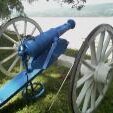
July 8, 200719 yr Looks like the Cannon really went BOOM !!! Congrats and good luck with the diaper changing.
July 8, 200719 yr Congrats Boom! :ylsuper: :ylsuper: :ylsuper: :ylsuper: :ylsuper: If I remember correctly a boy was in desperate need? :lol: :lol: :lol:
July 8, 200719 yr Congratulations on the new addition to the family. :thumb: I saw the thread title, I couldn't help but remember one of the great videos of all time. :lol: Boom goes the dynamite!
July 9, 200719 yr Congrat's to the next future Boomer ( I mean Bluebird). I've heard that he will be on the 2025 State Team. Congrats again Boom.
July 9, 200719 yr Congrat's to the next future Boomer ( I mean Bluebird). I've heard that he will be on the 2025 State Team. Congrats again Boom. Any truth to the rumor that you drove by the Boom house today and saw him trying to teach the boy how to pass the ball?
July 10, 200719 yr Lil Boom already has his seat picked out on the bus and he also gets the first pull of the cannon this year.
Archived
This topic is now archived and is closed to further replies.