.jpeg.a27bb8d29efd1458ebcca162f10e178a.jpeg)
.jpeg.143356ae9c5c2087f383ed566ca007e5.jpeg)
double
Former Member
-
Joined
-
Last visited
-
I see what you did there. Clever.
-
With a Spirit that Will Not Die.
-
Agree on all counts here. Boyd had (is having) a tremendous season.
-
I’d put Ryle over Conner and Highlands over Beechwood.
-
I didn’t say WHO needs to work on reading comprehension (in this case it was me). Can’t wait for the season!
-
I think we need some work on reading comprehension. The original comment was comparing the 2023 Colonels to the 2022 and 2021 Colonels. No one said they expect CCH to win anything easily….except maybe a hypothetical game against their own team the last two years.
-
CovCath 2017. Running clock against every KY team they played. Beat Madison Southern 49-13 in the final.
-
This isn’t aging well.
-
Mention what you want. My point is don’t say “no excuses” if you that’s why you are mentioning it.
-
Then why mention it?
-
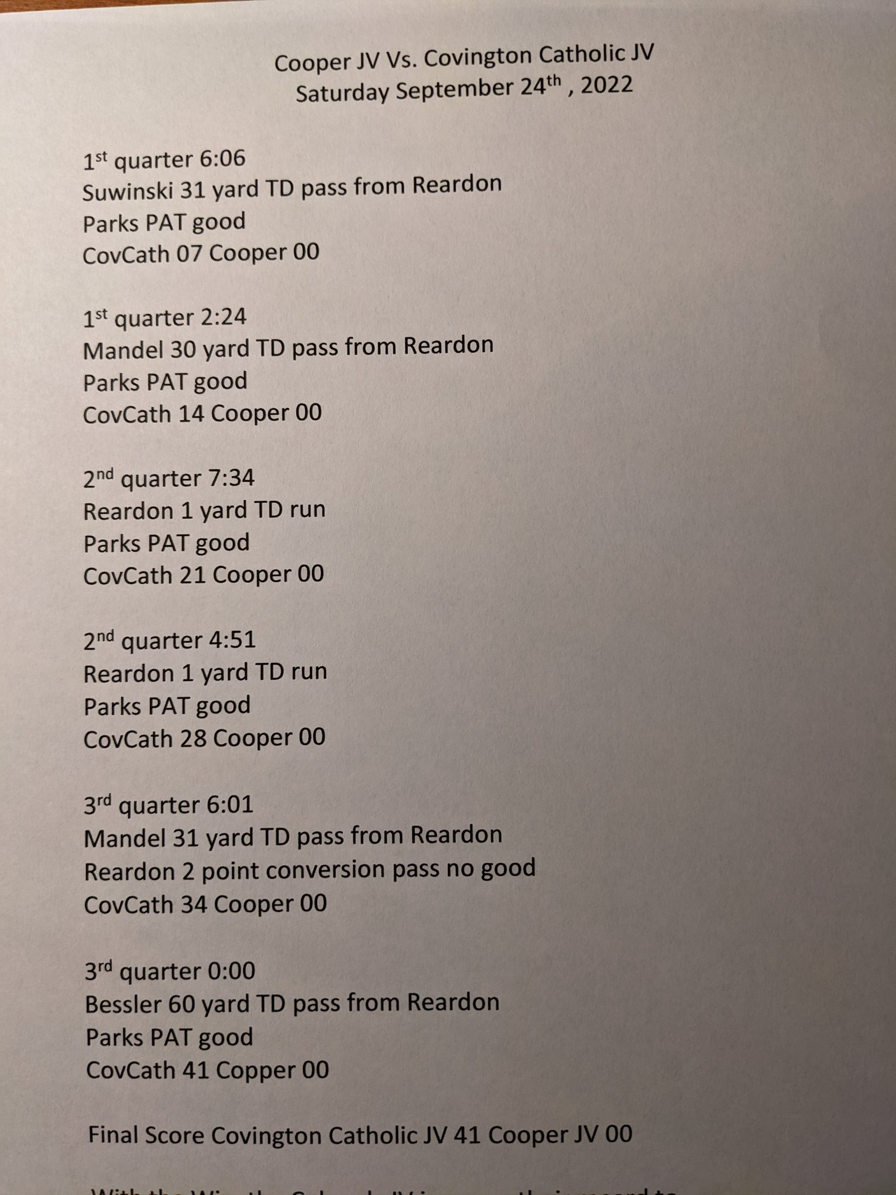
It would be interesting to know how many sophomores each team had start in the varsity game last night that didn’t play in the JV game today.
-
It’s 2A.Great investment for the Colonels. Coach A sounds like he is really engaging with a large portion of the student body - great to see!!double changed their profile photoYes. He was blindsided by a helmet to the chin well after the whistle at the start of the second quarter against Highlands. Missed the rest of that game and the Beechwood game the following week.
.thumb.jpeg.220c1d74a85db8ebc18ba001c80a8789.jpeg)