Skip to content
View in the app

A better way to browse. Learn more.

BluegrassPreps.com

A full-screen app on your home screen with push notifications, badges and more.

To install this app on iOS and iPadOS
  1. Tap the Share icon in Safari
  2. Scroll the menu and tap Add to Home Screen.
  3. Tap Add in the top-right corner.
To install this app on Android
  1. Tap the 3-dot menu (⋮) in the top-right corner of the browser.
  2. Tap Add to Home screen or Install app.
  3. Confirm by tapping Install.

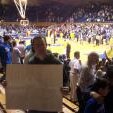
Should I take a John Wall sign into Cameron Indoor Stadium tonight?
Featured Replies

Thoughts? I would wear UK gear but it could be mistaken for Duke clothes.

  • Replies 51
  • Views 3.4k
  • Created
  • Last Reply

Why? What purpose does it serve?

Edited by bugatti

Yes. Definitely. That could give you a shot at getting on TV too. And it would just be classic.

What would it say? Are you setting in the student section?

Edited by bugatti

Do it...

Yes, 100 times yes.

I would bet they would definitely put you on tv. What are you going to put on it? It needs to be pretty clever and funny.

  • Author

Well, I will be in the student section so I should be on TV. A lot of students are gone for the break so they sold general tickets to the student section. I don't know if they let people take signs in or not. What should it say?

Please use my avatar!!

I'd be careful. It wouldn't be the first time this week for a fan to be escorted out the building for not cheering on the home team. :popcorn:

Maybe say something to the effect of "when does john wall play again" or "I

Maybe say something to the effect of "when does john wall play again" or "I


That would be classic!!!

Archived

This topic is now archived and is closed to further replies.

Recently Browsing 0

  • No registered users viewing this page.

Account

Navigation

Search

Search

Configure browser push notifications

Chrome (Android)
  1. Tap the lock icon next to the address bar.
  2. Tap Permissions → Notifications.
  3. Adjust your preference.
Chrome (Desktop)
  1. Click the padlock icon in the address bar.
  2. Select Site settings.
  3. Find Notifications and adjust your preference.