Skip to content
View in the app

A better way to browse. Learn more.

BluegrassPreps.com

A full-screen app on your home screen with push notifications, badges and more.

To install this app on iOS and iPadOS
  1. Tap the Share icon in Safari
  2. Scroll the menu and tap Add to Home Screen.
  3. Tap Add in the top-right corner.
To install this app on Android
  1. Tap the 3-dot menu (⋮) in the top-right corner of the browser.
  2. Tap Add to Home screen or Install app.
  3. Confirm by tapping Install.

UK/UNLV updates

Featured Replies

Not good offense after a TO

  • Replies 187
  • Views 15k
  • Created
  • Last Reply

Honest to God, there's a beauty to the chaos sometimes. It's like art.

An adjustment to the press offense maybe?

Once again, another team makes a defensive adjustment and UK is slow to adjust

Porter just got bailed out by the official, wow.

Lucky - bail out call for Porter.

Porter cannot see over the pressure in the backcourt. Get Galloway and Liggins in there.
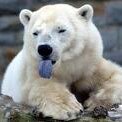
Well that ought to make up for it.

Did Billy G just look at his asst. and say "Wow."?

Careers are on the line, IMO

Archived

This topic is now archived and is closed to further replies.

Recently Browsing 0

  • No registered users viewing this page.

Account

Navigation

Search

Search

Configure browser push notifications

Chrome (Android)
  1. Tap the lock icon next to the address bar.
  2. Tap Permissions → Notifications.
  3. Adjust your preference.
Chrome (Desktop)
  1. Click the padlock icon in the address bar.
  2. Select Site settings.
  3. Find Notifications and adjust your preference.