September 11, 200719 yr Happy Birthday Oldrambler!! I hope your day is a great one. I don't think the cake can hold all those candles:eek: :dancingpa
September 11, 200719 yr Happy Birthday Old Rambler. I hope you have a great day.The BIG 50!!! :irked: I guess we'll hear those fire trucks in Raceland again today when they have to put out the candles. :D
September 11, 200719 yr HAPPY HAPPY BIRTHDAY!!!!!!!!! :dancingpa :dancingpa :dancingpa :dancingpa :banana: :banana: :banana: :banana: :banana: :banana: :banana: :banana: :banana: :banana: :banana: :banana: :banana: :dancingpa :dancingpa :dancingpa :dancingpa
September 11, 200719 yr Hey, Oldtimer...er...Oldrambler!!!!!! Happy, Happy Birthday!! In your honor I chose "Buckeye" Red, "Ram" Orange, and "UK" Blue.
September 11, 200719 yr Happy Birthday oldrambler!!!! I hope you get big Raceland and UK wins later in the week as birthday presents! :dancingpa :dancingpa :dancingpa
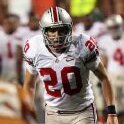
September 11, 200719 yr Happy Birthday! Today you became the same age as Todd Svoboda's jersey number!
September 11, 200719 yr Thanks everyone for all the well wishes. They are appreciated more than you will ever know. This to me is the great thing about BGP - we can fight, argue and all the like (and most of it in good fun) but we have each others backs as well :thumb: . Thanks again.
Archived
This topic is now archived and is closed to further replies.