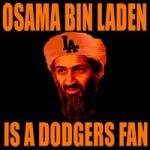
June 2, 201115 yr Starr...take your pick http://www.google.com/imgres?imgurl=http://profile.ak.fbcdn.net/hprofile-ak-snc4/41815_2201270296_4674_q.jpg&imgrefurl=http://www.facebook.com/group.php%3Fgid%3D2201270296&usg=__wRB1hbQaGfeMl_gtbN2hd6TH8ts=&h=50&w=50&sz=3&hl=en&start=0&zoom=0&tbnid=Ni9u6xF0l2nf2M:&tbnh=50&tbnw=50&ei=oO3mTZbQHIK-sAPcqtWEDg&prev=/search%3Fq%3Dosama%2Bbin%2Bladen%2Bis%2Ba%2Bdodgers%2Bfan%26um%3D1%26hl%3Den%26rls%3Dcom.microsoft:en-us:IE-Address%26rlz%3D1I7ACAW_enUS413US413%26biw%3D1345%26bih%3D583%26tbm%3Disch&um=1&itbs=1&iact=hc&vpx=663&vpy=160&dur=453&hovh=50&hovw=50&tx=91&ty=38&page=1&ndsp=21&ved=1t:429,r:3,s:0&biw=1345&bih=583 http://www.google.com/imgres?imgurl=http://photos-h.ak.fbcdn.net/hphotos-ak-snc4/40937_145622648790401_144621682223831_367339_3090839_s.jpg&imgrefurl=http://www.facebook.com/pages/Dodgers-Suck/144621682223831&usg=__IvBfgS81mMWIorWCFAxGVFDyF-4=&h=100&w=129&sz=10&hl=en&start=22&zoom=1&tbnid=PJnHgDlopVZmJM:&tbnh=80&tbnw=103&ei=E-7mTeW7LJTWtQOY_bD-DQ&prev=/search%3Fq%3Ddodgers%2Bsuck%26um%3D1%26hl%3Den%26rlz%3D1R2ACAW_enUS413%26biw%3D1345%26bih%3D583%26tbm%3Disch&um=1&itbs=1&iact=hc&vpx=333&vpy=408&dur=2059&hovh=80&hovw=103&tx=99&ty=69&page=2&ndsp=22&ved=1t:429,r:1,s:22&biw=1345&bih=583
June 2, 201115 yr Nice job on the jinx dmderringer. I've used it a few times myself the past couple of years. It's hard to imagine where the Reds would be without Bruce and Votto. Votto just crushed that ball.
June 2, 201115 yr Author Starr...take your pick http://www.google.com/imgres?imgurl=http://profile.ak.fbcdn.net/hprofile-ak-snc4/41815_2201270296_4674_q.jpg&imgrefurl=http://www.facebook.com/group.php%3Fgid%3D2201270296&usg=__wRB1hbQaGfeMl_gtbN2hd6TH8ts=&h=50&w=50&sz=3&hl=en&start=0&zoom=0&tbnid=Ni9u6xF0l2nf2M:&tbnh=50&tbnw=50&ei=oO3mTZbQHIK-sAPcqtWEDg&prev=/search%3Fq%3Dosama%2Bbin%2Bladen%2Bis%2Ba%2Bdodgers%2Bfan%26um%3D1%26hl%3Den%26rls%3Dcom.microsoft:en-us:IE-Address%26rlz%3D1I7ACAW_enUS413US413%26biw%3D1345%26bih%3D583%26tbm%3Disch&um=1&itbs=1&iact=hc&vpx=663&vpy=160&dur=453&hovh=50&hovw=50&tx=91&ty=38&page=1&ndsp=21&ved=1t:429,r:3,s:0&biw=1345&bih=583 http://www.google.com/imgres?imgurl=http://photos-h.ak.fbcdn.net/hphotos-ak-snc4/40937_145622648790401_144621682223831_367339_3090839_s.jpg&imgrefurl=http://www.facebook.com/pages/Dodgers-Suck/144621682223831&usg=__IvBfgS81mMWIorWCFAxGVFDyF-4=&h=100&w=129&sz=10&hl=en&start=22&zoom=1&tbnid=PJnHgDlopVZmJM:&tbnh=80&tbnw=103&ei=E-7mTeW7LJTWtQOY_bD-DQ&prev=/search%3Fq%3Ddodgers%2Bsuck%26um%3D1%26hl%3Den%26rlz%3D1R2ACAW_enUS413%26biw%3D1345%26bih%3D583%26tbm%3Disch&um=1&itbs=1&iact=hc&vpx=333&vpy=408&dur=2059&hovh=80&hovw=103&tx=99&ty=69&page=2&ndsp=22&ved=1t:429,r:1,s:22&biw=1345&bih=583 Thanks for letting me choice. The other one would have been really hard to use. Nice comeback by the Reds.
June 2, 201115 yr Trying to be positive, the Reds won the 2 previous games that Weeks lead off the game with a HR. LRCW, great 1st inning observation. :notworthy: "The only thing new in the world is the history you don't know." Harry S. Truman.
June 2, 201115 yr Thanks for letting me choice. The other one would have been really hard to use. Nice comeback by the Reds. I will give you credit. You are proving you are a true Dodgers fan by selecting that avatar. Only a true Dodgers fan would have made that choice.
Archived
This topic is now archived and is closed to further replies.