theguru
Administrator
-
Joined
-
Last visited
-
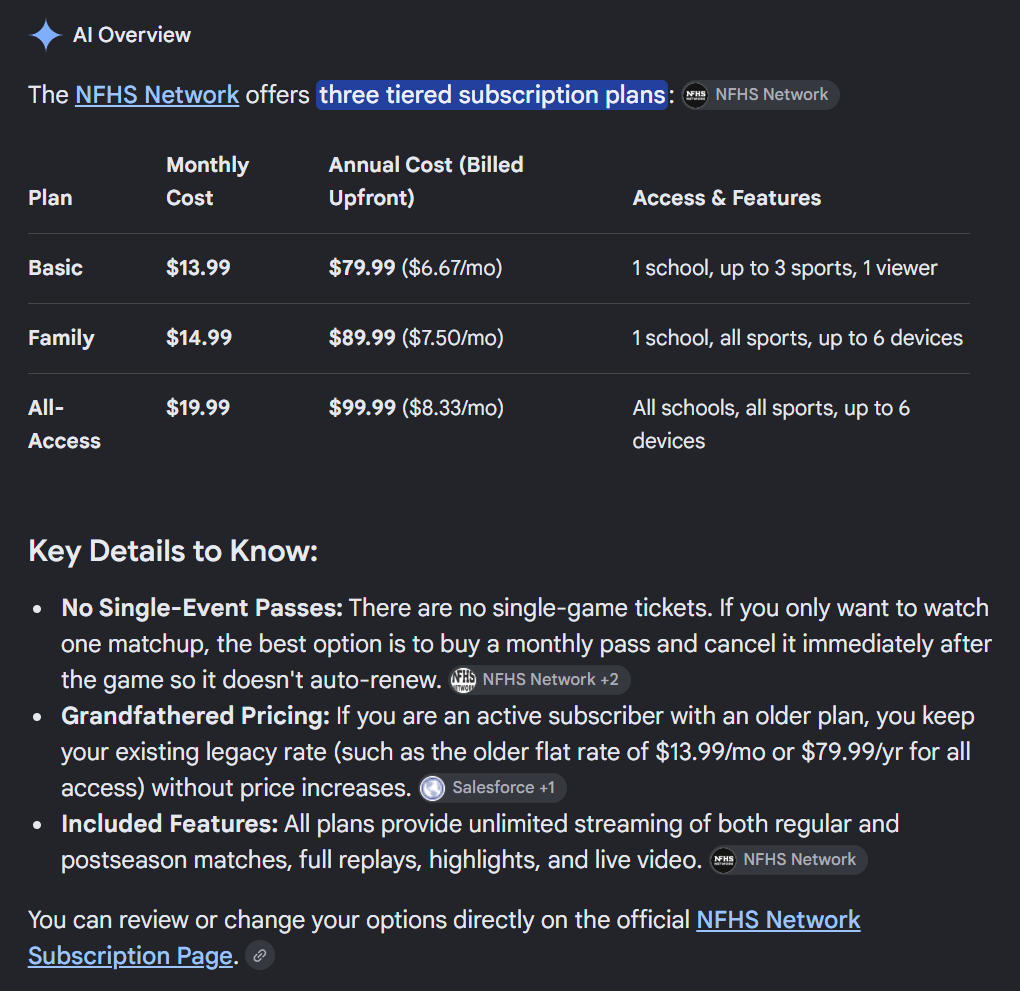
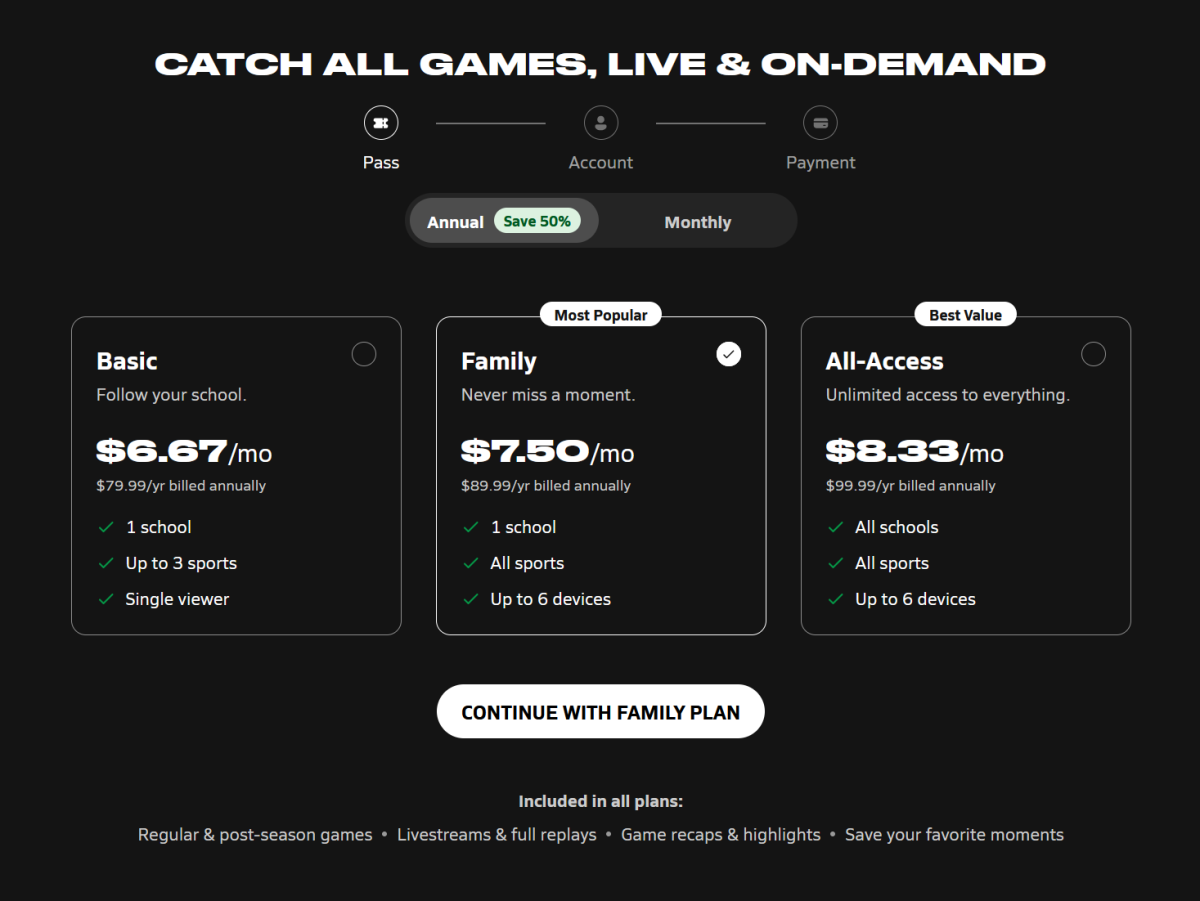
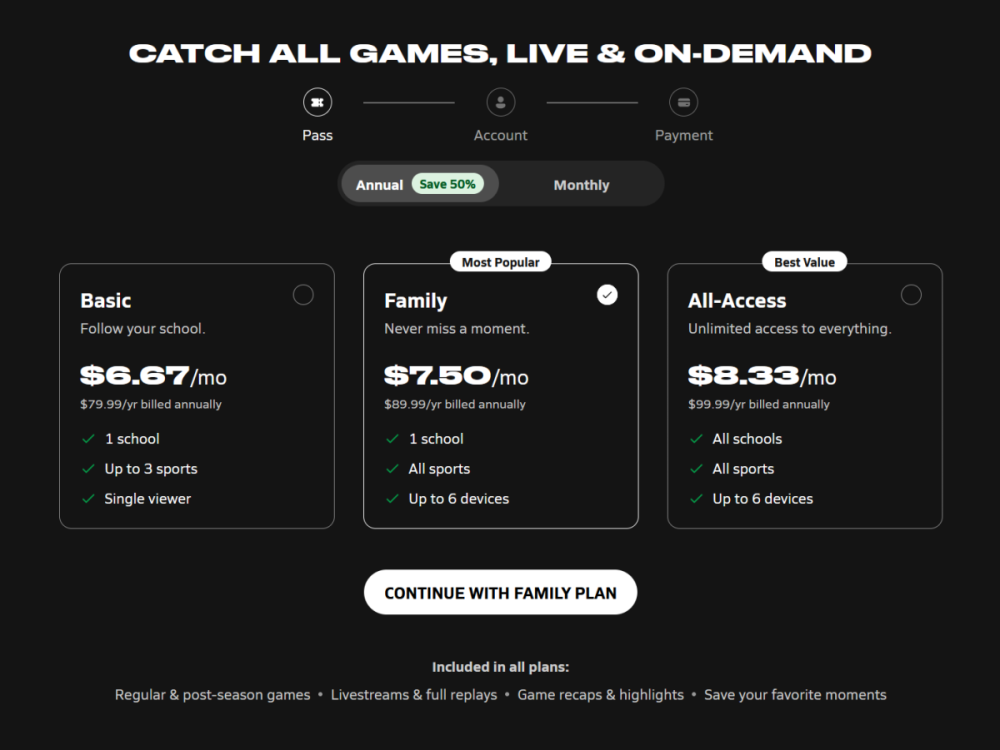
https://www.nfhsnetwork.com/subscribe
 More of the same, none of the other Frosh teams in NKY are anywhere close to the Birds.R.I.P., Viper!What about taking the next 16 teams, make it the "NIT" Playoff, give all the players a share for playing and bigger shares for each game they win. Most years, at least in the past, that would be a realistic goal for UK and UL (the 25-40 ranked teams playoff) and I would be stoked to watch those two teams have a chance to win a postseason playoff like that. And we all know TV would jump all over it. Then all the "bowl games" could be totally done away with.Why risk injury if you are a player unless there is a big pay day.859 Insider TV Stream: https://www.859insidertv.com/?B=3886203859 Insider TV Stream: https://www.859insidertv.com/?B=4048390So young... RIP Todd.Same other than maybe a landing spot for a couple of minutes so I could figure out what I was going to watch.I am a messenger and I have low confidence so far in Arbiter.I turned it on for a minute and thought it had to be an exhibition.Dang, I don't know and for the record I would pick Highlands if the two teams did play each other.Thanks OC and for the record, do you have a math background?Beechwood Sports Radio Network Broadcast at 7:15pm, Kickoff at 7:30pm https://beechwood-sports-radio-network.mixlr.com/events/5395185