Skip to content
View in the app

A better way to browse. Learn more.

BluegrassPreps.com

A full-screen app on your home screen with push notifications, badges and more.

To install this app on iOS and iPadOS
  1. Tap the Share icon in Safari
  2. Scroll the menu and tap Add to Home Screen.
  3. Tap Add in the top-right corner.
To install this app on Android
  1. Tap the 3-dot menu (⋮) in the top-right corner of the browser.
  2. Tap Add to Home screen or Install app.
  3. Confirm by tapping Install.

Hope someone missed me

Featured Replies

I recognize a lot of names. Good to be back.

Good to have you back. Always need some Beattyville representation.

  • Author

You sort of count too.

You sort of count too.


I sort of count for what?

  • Author

A Beattyvillian

A Beattyvillian


Why thank you. I'm one of the few in NKY who has been to Primrose. Fond memories.

Welcome back. I have some connections to B-ville as well. Great spot. Head down every year for a family reunion.

  • Author

Close enough...there u go!!!!!

  • Author

Thanks....really nice to be back.

Hey my friend, so glad to have you back!!!! You know my Beattyville connections.....:D

Well, I have definitely missed you! Welcome back!

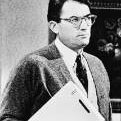
I remember you being around, but not sure if we ever had any interaction. Regardless, great having you back! Any friend of Atticus Finch is a friend of mine! :thumb:

Atticus, for some reason I thought you were from Booneville, not Beattyville. All this time I was wrong!

Glad you are back around, Atticus :thumb:

  • Author
Atticus, for some reason I thought you were from Booneville, not Beattyville. All this time I was wrong!


No...but that is a great place to live too. A lot of people seem to cheat at golf from there but they are otherwise a ok! Is the professor still here.lol
Archived

This topic is now archived and is closed to further replies.

Recently Browsing 0

  • No registered users viewing this page.

Account

Navigation

Search

Search

Configure browser push notifications

Chrome (Android)
  1. Tap the lock icon next to the address bar.
  2. Tap Permissions → Notifications.
  3. Adjust your preference.
Chrome (Desktop)
  1. Click the padlock icon in the address bar.
  2. Select Site settings.
  3. Find Notifications and adjust your preference.