-
My favorite game moment.... Go Rocks!

-
Male up 3-0 early first quarter.
-
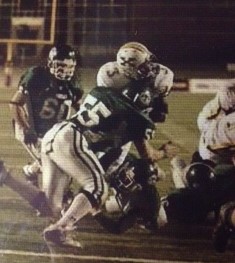
and now a game flashback...
-
If they play Trinity wins 28-13... but I hear there is a "purge" set for Louisville and both teams are afraid to travel.....
-
Good job rocks!
-
Fairdale was not a good prep game for CM......
-
I don't think I'm too far off base by saying the Rocks are but a stupid penalty and a couple plays away from being ranked #1 in the nation...
-
Why on earth play a 2A team? wow....
-
BOOM.... BOOM...... Encouragement!!! No, Yes???
-
Glad to see they are playing even with purged weather in the forecast!
-
It's a long season... better pace myself. However when a team gives you something like that to work with in the pre season I admit it's hard to contain the giggles. :woot:
-
Where is the game being played? If at Collins that's pretty close to the danger zone. Will SK show?
-
I am glad the scrimmage was able to go down today... I had heard a report from the SK equipment room that they didn't have enough balls.
-
Way to make KY look stupid on a national level.....
-
Absolute joke..... St. X, one of the top 1-2 safest campuses in town (even if there was a threat) and SK bows out. They should be ashamed. If I was Will I'd tell SK to take their ovaries elsewhere for a scrimmage.