Brcatz
Standard Membership
-
Joined
-
Last visited
Everything posted by Brcatz
-
I believe Scott High is Light Fern Green.
-
Game at 7:30 Live feed below Frosh/JV game in Progress Followed by Varsity.
-
Game at 7:30 Live Feed https://team1sports.com/859insider/
-
@B-Ball-fan Games are Student ran productions from students at each school if they want to provide the feeds and broadcasts. Most of these students want to go into TV/radio production of some type and schools tend to have a class for those interested. 859 insider is just the feed. Here is the link https://team1sports.com/859insider/
-
I have it on my smart TV at home
-
Here is the game on St Henry You tube page...
-
Or even add Mason County to that or to the NKY Group of 4A.
-
You still going with the cards? Lol
-
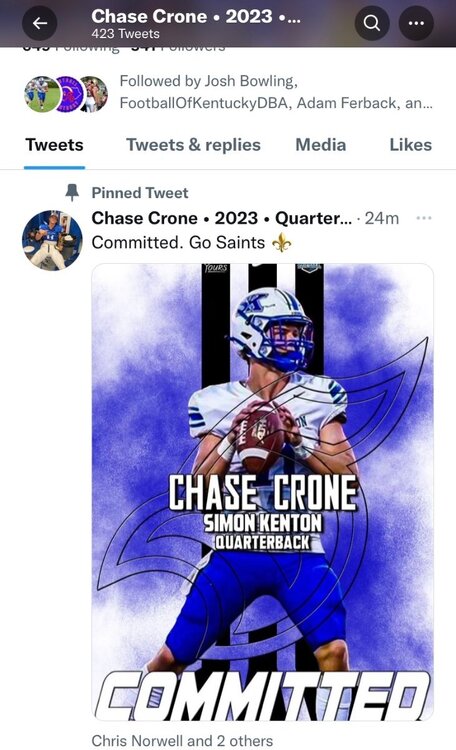
Congratulations Chase going to Thomas More Saints
 Free throws was one the differences. 15/22 for Scott 32/41 for BC. Very tight on the calls by the refs. Lot's of ticky tack foul's being called both ways, but way more for BC than Scott. Reed 6/9 on 3's also helps. Guard play on defense was very good for both teams. Q1 Scott 13 BC 11 Q2 BC 40 Scott 33 Q3 BC 61 Scott 59 Q4 BC 78 Scott 71Just drove by EKU and someone is out there kicking XP on the field.Who had the better run or toughest 3- peat?St Eds 28-14Just saw where pretty much every UK football position coach was in Ohio tonight for the St. Eds vs Springfield game.Clay wins. Final. Mason Hawkins 22 pts 10 boards 3 steals for HC.83-47 Walton Final85-78 NCC. Final80-76 NCC 2:40 left.69-36 Walton after 3.64-61 NCC after 3.Final 80-44 Brossart56-18 Brossart at the Half.42-40 Boone at the Half52-19 Walton at the Half