Skip to content
View in the app

A better way to browse. Learn more.

BluegrassPreps.com

A full-screen app on your home screen with push notifications, badges and more.

To install this app on iOS and iPadOS
  1. Tap the Share icon in Safari
  2. Scroll the menu and tap Add to Home Screen.
  3. Tap Add in the top-right corner.
To install this app on Android
  1. Tap the 3-dot menu (⋮) in the top-right corner of the browser.
  2. Tap Add to Home screen or Install app.
  3. Confirm by tapping Install.

Is L.T. a lock?

Featured Replies

Go ahead and put Rothlisburger on the cover. He's cursed anyway...

Brees or L.T will be on imo.

How much compenstation do they get for being on the cover.. if any?
Something tells me they are not doing it for nothing; their pictures are all over the place anyways... just a hunch.

:p

Go ahead and put Rothlisburger on the cover. He's cursed anyway...


+1, maybe an action shot of the Ravens D too...

For his sake, and my fantasy football team's sake...I HOPE NOT! Put Tiki on the cover since he's retiring! :lol:


:thumb:

I think Ethan Albright (worst rated player on '07) from the Redskins should get the cover......:ylsuper:

I thought I heard them discussing this the other day during the game. They said he had already spoken to Madden, and told him that he did NOT want to be on the cover.
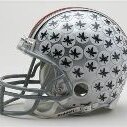
Devin Hester...

Archived

This topic is now archived and is closed to further replies.

Recently Browsing 0

  • No registered users viewing this page.

Account

Navigation

Search

Search

Configure browser push notifications

Chrome (Android)
  1. Tap the lock icon next to the address bar.
  2. Tap Permissions → Notifications.
  3. Adjust your preference.
Chrome (Desktop)
  1. Click the padlock icon in the address bar.
  2. Select Site settings.
  3. Find Notifications and adjust your preference.