Skip to content
View in the app

A better way to browse. Learn more.

BluegrassPreps.com

A full-screen app on your home screen with push notifications, badges and more.

To install this app on iOS and iPadOS
  1. Tap the Share icon in Safari
  2. Scroll the menu and tap Add to Home Screen.
  3. Tap Add in the top-right corner.
To install this app on Android
  1. Tap the 3-dot menu (⋮) in the top-right corner of the browser.
  2. Tap Add to Home screen or Install app.
  3. Confirm by tapping Install.

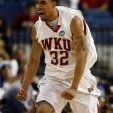
Isaiah Cozart Named Kentucky Gatorade Player of the Year
Featured Replies

Congrats to Isaiah for this awesome award. This makes the 3rd KY Gatorade Player of the Year for Madison Central. Isaiah joins Marquis Estill and Dominque Hawkins as Indians that have won the award.


Also, this marks the 3rd year out of the last 4 that Gatorade Player of the Year was not Mr. Basketball.

Happy for Cozart, to be sure, but I thought for sure this award would have gone to Tandy. Interesting.

Who votes for the Gatorade POTY?

Congrats to the "King of Swat". I always enjoyed watching how well-mannered Cozart was on the floor. He just went about his business, and stuffed the stat sheet.

Congrats to Isaiah for this awesome award. This makes the 3rd KY Gatorade Player of the Year for Madison Central. Isaiah joins Marquis Estill and Dominque Hawkins as Indians that have won the award.


Also, this marks the 3rd year out of the last 4 that Gatorade Player of the Year was not Mr. Basketball.


At least his accomplishments didn't go unnoticed by everyone, he would also have been deserving of Mr. Basketball.

Who votes for the Gatorade POTY?


I believe the nation is broken into regions, then those regions have a committee that reviews candidates for players in those states, sort of like how Little League Baseball has regions made up of several states. If that makes any sort of sense? Don't know how they determine the candidates tough.

Dominant player on the defensive side of the ball. Congrats to that young man. :thumb:

Recently Browsing 0

  • No registered users viewing this page.

Account

Navigation

Search

Search

Configure browser push notifications

Chrome (Android)
  1. Tap the lock icon next to the address bar.
  2. Tap Permissions → Notifications.
  3. Adjust your preference.
Chrome (Desktop)
  1. Click the padlock icon in the address bar.
  2. Select Site settings.
  3. Find Notifications and adjust your preference.