Skip to content
View in the app

A better way to browse. Learn more.

BluegrassPreps.com

A full-screen app on your home screen with push notifications, badges and more.

To install this app on iOS and iPadOS
  1. Tap the Share icon in Safari
  2. Scroll the menu and tap Add to Home Screen.
  3. Tap Add in the top-right corner.
To install this app on Android
  1. Tap the 3-dot menu (⋮) in the top-right corner of the browser.
  2. Tap Add to Home screen or Install app.
  3. Confirm by tapping Install.

Ernie Pantusso- new to BGP

Featured Replies

Hello everybody. Glad to be here.


Welcome to BGP. If you feel comfortable, tell us a little bit about the sports you follow and who some of your favorite teams are.

  • Author

I follow a little bit of everything. But have been known to be primarily a baseball/softball guy and a basketball guy.

Welcome Ernie, we hope you stay a while.

Hello everybody. Glad to be here.


Lots of 10th Region/NKy. folks here.


:whistling: BGP

*Where everybody knows your name, And they're always glad you came;

You want to be where you can see, Our troubles are all the same;

You want to be where everybody knows your name.*


Welcome to BGP "Coach."


  • Author
Lots of 10th Region/NKy. folks here.


:whistling: BGP

*Where everybody knows your name, And they're always glad you came;

You want to be where you can see, Our troubles are all the same;

You want to be where everybody knows your name.*


Welcome to BGP "Coach."


I tried to get the GIF of this clip as my avatar to no avail. Lol
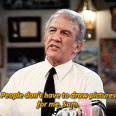
Welcome to BGP. Looking forward to seeing you in the soccer and dog forums!

Welcome to BGP. Looking forward to seeing you in the soccer and dog forums!


:lol2:

Welcome to the site!

Archived

This topic is now archived and is closed to further replies.

Recently Browsing 0

  • No registered users viewing this page.

Account

Navigation

Search

Search

Configure browser push notifications

Chrome (Android)
  1. Tap the lock icon next to the address bar.
  2. Tap Permissions → Notifications.
  3. Adjust your preference.
Chrome (Desktop)
  1. Click the padlock icon in the address bar.
  2. Select Site settings.
  3. Find Notifications and adjust your preference.