Skip to content
View in the app

A better way to browse. Learn more.

BluegrassPreps.com

A full-screen app on your home screen with push notifications, badges and more.

To install this app on iOS and iPadOS
  1. Tap the Share icon in Safari
  2. Scroll the menu and tap Add to Home Screen.
  3. Tap Add in the top-right corner.
To install this app on Android
  1. Tap the 3-dot menu (⋮) in the top-right corner of the browser.
  2. Tap Add to Home screen or Install app.
  3. Confirm by tapping Install.

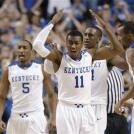
Jon Hood named Ky's Mr. Basketball
Featured Replies

Congratulations to Hood ... he's the best player in the state and very deserving of the award.

Congratulations to Hood. I'm looking forward to watching him in blue and white next year!!

Congratulations to Hood. I'm looking forward to watching him in blue and white next year!!


The recruiting situation is in a complete state of flux. I hope Coach Cal keeps a Kentucky presence on the Kentucky team.

Congrats to Hood. :clap:

Great honor, he has worked very hard for this. Glad to hear he is excited about the new coach.

The recruiting situation is in a complete state of flux. I hope Coach Cal keeps a Kentucky presence on the Kentucky team.


Coach Cal will get the best players possible. It would be nice to have Kentucky high school players, but if they are not good enough that won't be coming to UK anymore. The Hood's and Miller's will still get to play at UK, but it will only be top 100 recruits in my opinion.

Congrats to Jon Hood, this is an amazing accomplishment playing on a team with a losing record.

The recruiting situation is in a complete state of flux. I hope Coach Cal keeps a Kentucky presence on the Kentucky team.


I totally agree. Having the best in state talent attend UK helps keep the dream of being a Wildcat Alive for all future generations of Kentucky High School players. Mr. Basketball belongs in Blue and White.

So Dominic Tilford should have been a Wildcat? I totally disagree with that type of thinking, if they are good enough then I'm all for it.

Recently Browsing 0

  • No registered users viewing this page.

Account

Navigation

Search

Search

Configure browser push notifications

Chrome (Android)
  1. Tap the lock icon next to the address bar.
  2. Tap Permissions → Notifications.
  3. Adjust your preference.
Chrome (Desktop)
  1. Click the padlock icon in the address bar.
  2. Select Site settings.
  3. Find Notifications and adjust your preference.