Skip to content
View in the app

A better way to browse. Learn more.

BluegrassPreps.com

A full-screen app on your home screen with push notifications, badges and more.

To install this app on iOS and iPadOS
  1. Tap the Share icon in Safari
  2. Scroll the menu and tap Add to Home Screen.
  3. Tap Add in the top-right corner.
To install this app on Android
  1. Tap the 3-dot menu (⋮) in the top-right corner of the browser.
  2. Tap Add to Home screen or Install app.
  3. Confirm by tapping Install.

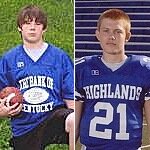
Nice article on Brandon and Steve Roller
Featured Replies

Brandon will be the leader on the defensive side of the ball and I expect him to play TE as well. It's great to see him back on the field, you know he is always going to give you 110%!!!

Great article and well deserved for the young Roller and the old man!!!

A big thanks to the Roller family for everything they do. Your family holds a special place in my heart. I can't wait to see Brandon back out on the field as well. Thanks guys!!!!

A big thanks to the Roller family for everything they do. Your family holds a special place in my heart. I can't wait to see Brandon back out on the field as well. Thanks guys!!!!
Ditto...100%! :thumb:
A big thanks to the Roller family for everything they do. Your family holds a special place in my heart. I can't wait to see Brandon back out on the field as well. Thanks guys!!!!


Especially to Tracy!

It was really great to see Tracy acknowledged as she held up so well during Brandon's surgery and Steve's mishap. She needs to be recognized as well as part of the sports gene pool as she and her sisters held many records at Bishop Brossart sports programs. We are very fortunate to have her doing the many jobs behind the scenes for the football program and anything else she is involved in. Her attitude, her smile, her outlook on life is about the best anyone could ask for and we love her, plus she's very easy on the eyes.

Love you Tracy.

Great article. I wish the Rollers well this season as well as all the Bluebirds.:thumb:

Great article. Good luck to the Rollers and the Bluebirds as well.:thumb:

Recently Browsing 0

  • No registered users viewing this page.

Account

Navigation

Search

Search

Configure browser push notifications

Chrome (Android)
  1. Tap the lock icon next to the address bar.
  2. Tap Permissions → Notifications.
  3. Adjust your preference.
Chrome (Desktop)
  1. Click the padlock icon in the address bar.
  2. Select Site settings.
  3. Find Notifications and adjust your preference.