Skip to content
View in the app

A better way to browse. Learn more.

BluegrassPreps.com

A full-screen app on your home screen with push notifications, badges and more.

To install this app on iOS and iPadOS
  1. Tap the Share icon in Safari
  2. Scroll the menu and tap Add to Home Screen.
  3. Tap Add in the top-right corner.
To install this app on Android
  1. Tap the 3-dot menu (⋮) in the top-right corner of the browser.
  2. Tap Add to Home screen or Install app.
  3. Confirm by tapping Install.

Bishop Brossart 48 Highlands 39
Featured Replies

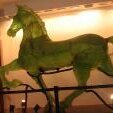
The Horse thief must of have got tired and returned BGH.

Not anymore


:idunno:

Highlands fan just told me that three or four Brossart fans got all over him for cheering for his team, he was sitting in the wrong spot in the gym they told him, he was at half court.

Highlands fan just told me that three or four Brossart fans got all over him for cheering for his team, he was sitting in the wrong spot in the gym they told him, he was at half court.

Brossart fans are a rough lot. :taz:

You guys are rough, stealing horse heads, nasty to the other teams fans, you should be happy that someone came and paid there 5.00.

Recently Browsing 0

  • No registered users viewing this page.

Account

Navigation

Search

Search

Configure browser push notifications

Chrome (Android)
  1. Tap the lock icon next to the address bar.
  2. Tap Permissions → Notifications.
  3. Adjust your preference.
Chrome (Desktop)
  1. Click the padlock icon in the address bar.
  2. Select Site settings.
  3. Find Notifications and adjust your preference.