Skip to content
View in the app

A better way to browse. Learn more.

BluegrassPreps.com

A full-screen app on your home screen with push notifications, badges and more.

To install this app on iOS and iPadOS
  1. Tap the Share icon in Safari
  2. Scroll the menu and tap Add to Home Screen.
  3. Tap Add in the top-right corner.
To install this app on Android
  1. Tap the 3-dot menu (⋮) in the top-right corner of the browser.
  2. Tap Add to Home screen or Install app.
  3. Confirm by tapping Install.

Trinity - Lafayette Updates
Featured Replies

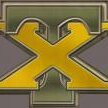
I'm gonna predict this one is over as the Lafayette coach called the team to the center of the field and they danced on the 'T". That has not worked well for other teams.

  • Author

Phillips 12 yard run, XP good, 7-0 Rocks - 8:21 1st Q

  • Author

FG Rocks, 10 - 0 w/ about 4 min in 1st Q

I'm gonna predict this one is over as the Lafayette coach called the team to the center of the field and they danced on the 'T". That has not worked well for other teams.

Boy, that's real smart.

16-0

16-0 or 61-0???

Lafayette coach called the team to the center of the field and they danced on the 'T".
Oh My....:eek:

30-0, 7:17 left in the first half.

I'm gonna predict this one is over as the Lafayette coach called the team to the center of the field and they danced on the 'T". That has not worked well for other teams.


That is Dumb...I guess He knew that was the only time tonight his team was going to be on top...;)

44-0 at the half...Rocks have held the Generals to 13 yards offense in the first half.

I'm gonna predict this one is over as the Lafayette coach called the team to the center of the field and they danced on the 'T". That has not worked well for other teams.


Is he just plain stupid or mentally insane?

After jumping on the "T" I told my wife we would win by 70....if we didn't down the ball on the one we would've had 72....


65-0 Rocks, FINAL....next.

Guest
This topic is now closed to further replies.

Recently Browsing 0

  • No registered users viewing this page.

Account

Navigation

Search

Search

Configure browser push notifications

Chrome (Android)
  1. Tap the lock icon next to the address bar.
  2. Tap Permissions → Notifications.
  3. Adjust your preference.
Chrome (Desktop)
  1. Click the padlock icon in the address bar.
  2. Select Site settings.
  3. Find Notifications and adjust your preference.