Skip to content
View in the app

A better way to browse. Learn more.

BluegrassPreps.com

A full-screen app on your home screen with push notifications, badges and more.

To install this app on iOS and iPadOS
  1. Tap the Share icon in Safari
  2. Scroll the menu and tap Add to Home Screen.
  3. Tap Add in the top-right corner.
To install this app on Android
  1. Tap the 3-dot menu (⋮) in the top-right corner of the browser.
  2. Tap Add to Home screen or Install app.
  3. Confirm by tapping Install.

Boyle County/Lexington Catholic Postponed
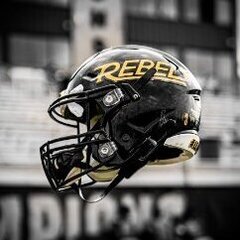
Featured Replies

Will this game be web cast on the internet anywhere??

  • Replies 34
  • Views 2.1k
  • Created
  • Last Reply

Top Posters In This Topic

Hopefully Ill be in a good mood around 4 or 4:30 when a certain game ends. That will lead me up perfectly to a 7 o'clock start for the rebels. And I should be in a even better mood when that one ends. Thats a whole lot of wishful thinking anyway.:banana:


Not a great start with UK losing. Hopefully I will have something to cheer about here in about an hour. Go Rebels!:ylsuper:

I guess everybody is at this game because nobody is updating it! I would do it buy I'm cleaning house so I can go hunting in the morning.:banana:

Edited by Ram
Rule 13

14-0. McSherra? has two long td runs and just got another long run called back. 5 mins left in 1st I think.

Knights driving using the pass. Sounds like the run is not open right now for Lex Cath. Raglin stuffed twice on runs, but Ward getting in a rhythm with the pass. Ball on 28, 1 min left in 1st Qtr.

Ouch, unsportsmanlike conduct by Rebs after getting Lex Cath to 3rd and 10 at 15.

1st and Goal now @ 5 for Lex Cath. 2nd Qtr early. 14-0 Rebs.

4th and Goal now from 6 after a few Incomplete passes. Good hold by Rebs.

Field Goal Knights. 14-3 Rebels. Between 8-10 mins left in 2nd Qtr.


Alright, UTB out. But I gotcha guys that far.

McSherra running all over Lex Cath. 200+ yards. 2tds. 5:51 to go 2nd qtr. 14-3 Rebs.


Rebs ball on Lex Cath 1 after a 73 yd run by McSherra?

Waiting on roommate so I got a few extra minutes of updating.

Guest
This topic is now closed to further replies.

Recently Browsing 0

  • No registered users viewing this page.

Account

Navigation

Search

Search

Configure browser push notifications

Chrome (Android)
  1. Tap the lock icon next to the address bar.
  2. Tap Permissions → Notifications.
  3. Adjust your preference.
Chrome (Desktop)
  1. Click the padlock icon in the address bar.
  2. Select Site settings.
  3. Find Notifications and adjust your preference.
