Skip to content
View in the app

A better way to browse. Learn more.

BluegrassPreps.com

A full-screen app on your home screen with push notifications, badges and more.

To install this app on iOS and iPadOS
  1. Tap the Share icon in Safari
  2. Scroll the menu and tap Add to Home Screen.
  3. Tap Add in the top-right corner.
To install this app on Android
  1. Tap the 3-dot menu (⋮) in the top-right corner of the browser.
  2. Tap Add to Home screen or Install app.
  3. Confirm by tapping Install.

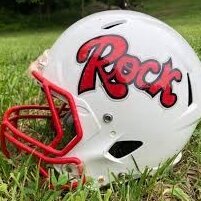
Class 3A Playoffs: #1 Bell County vs. Rockcastle County
Who Wins 5 members have voted

  1. 1. Who Wins

    • Bell County
      100%
    • Rockcastle County
      0%
      0

Please sign in or register to vote in this poll.

Featured Replies

Bell has been doing nothing but winning all season business as usual for the bobcats. Rock has been on a roll improving every week since their last loss which was to Bell 39-6. Rock has went unbeaten thru the month of October and the first two weeks of November including a 50-14 win against Estill in the first round of the playoffs. Has the Rock improved enough to close the gap and compete with the bobcats to play spoiler on the perfect season of Bell or will Bell be business as usual? District championship on the line on log mountain! Who will prevail the second time around?

Bell Co. by 14.

  • Author

3:00 and counting Bell will receive first.

  • Author

Bell first possession 3 and out

  • Author

Rock ball on own 42

  • Author

Rock first possession gain 9 yards now punt to bell QB stuff at own 17

  • Author

3:13 1st quarter

Time out Bell


Rock 0

Bell 0

  • Author

Bell 6 (2pt no good)


Rock 0


End of 1st

  • Author

Penalties and two poor calls broke our back on that drive TD Bell.


Bell 12 (2pt no good)


Rock 0


8:56 2nd quarter

Have to toughen up and answer back on this next drive.

  • Author

Bell 24

Rock 0


Halftime

Rock to receive second half kickoff

Guest
This topic is now closed to further replies.

Recently Browsing 0

  • No registered users viewing this page.

Account

Navigation

Search

Search

Configure browser push notifications

Chrome (Android)
  1. Tap the lock icon next to the address bar.
  2. Tap Permissions → Notifications.
  3. Adjust your preference.
Chrome (Desktop)
  1. Click the padlock icon in the address bar.
  2. Select Site settings.
  3. Find Notifications and adjust your preference.
