Skip to content
View in the app

A better way to browse. Learn more.

BluegrassPreps.com

A full-screen app on your home screen with push notifications, badges and more.

To install this app on iOS and iPadOS
  1. Tap the Share icon in Safari
  2. Scroll the menu and tap Add to Home Screen.
  3. Tap Add in the top-right corner.
To install this app on Android
  1. Tap the 3-dot menu (⋮) in the top-right corner of the browser.
  2. Tap Add to Home screen or Install app.
  3. Confirm by tapping Install.

Boyle County 21 North Hardin 14
Featured Replies

  • Author
I think the INT was for Boyle


You are correct. Boyle threw the Int.

Haven’t been homered in a game like that in a long time. Several mysterious calls that kept the Rebels out of the end zone on a few occasions. Thought the team looked like they were suffering from a “no Reese” hangover in this game. Good win against a good team.

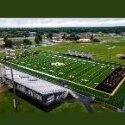
Terrible field conditions, inexcusable sideline conditions on the visitors side and officials insisting that Boyle co stood in ankle deep water and mud made for less than ideal conditions for the Rebels to focus on execution. The offensive line played very well and continued to show steady improvement opening holes for Andrew Sacco and Tanner Crawford consistently. The wet field slowed Bartleson more than the North Hardin defense as footing for all of the quick cut runners for both teams was non existent.

Both teams had reason to question the officiating as this crew was just plain bad. I watched 41 seconds run off the clock with no delay of game call and a no call when my son planted North Hardins QB well after the ball was away.

Drew Baker was the difference maker in this game on both sides of the ball and Wilson Kelly ran through the Hardin offensive front all night even though he was double teamed and held on most every play. We were fortunate that only one player was ejected with the frustration level that was created by the lack of rule enforcement. A 21-14 win with everything the Rebels had to overcome in this game is likely the best we could hope for in this slope.

Recently Browsing 0

  • No registered users viewing this page.

Account

Navigation

Search

Search

Configure browser push notifications

Chrome (Android)
  1. Tap the lock icon next to the address bar.
  2. Tap Permissions → Notifications.
  3. Adjust your preference.
Chrome (Desktop)
  1. Click the padlock icon in the address bar.
  2. Select Site settings.
  3. Find Notifications and adjust your preference.