Skip to content
View in the app

A better way to browse. Learn more.

BluegrassPreps.com

A full-screen app on your home screen with push notifications, badges and more.

To install this app on iOS and iPadOS
  1. Tap the Share icon in Safari
  2. Scroll the menu and tap Add to Home Screen.
  3. Tap Add in the top-right corner.
To install this app on Android
  1. Tap the 3-dot menu (⋮) in the top-right corner of the browser.
  2. Tap Add to Home screen or Install app.
  3. Confirm by tapping Install.

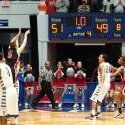
Bracken County 52 Beechwood 47
Featured Replies

Final from the 4:45 Consolation Semifinal Game of the Bracken County Holiday Tournament


Freshman Austin Crawford led the Polar Bears with 15 points and 7 rebounds and Nate Haight chipped in 14 points.


Jacob Huff led the Tigers with 15 points, Johnathan Stokes had his first career double-double with 12 points and 14 rebounds and Max Shover contributed 10 points.


Beechwood will take on Pendleton County in the 7th Place Game at 3pm tomorrow while Bracken County hosts the 5th place game against Newport at 4:45pm.

If my (feeble) memory serves me correctly, this avenges a rather sizable Beechwood win over the Polar Bears.


I'm also interested to see how the homestanding Bears handle Newport following Nicholas County's win over the Wildcats.

^ Bracken lost the Friday before Christmas at Beechwood by 13.


The two teams split last year too, each team winning on the other's home floor.

Bracken County 52, Beechwood 47


Bracken County–Crawford 3 8 15, Haight 4 3 12, Jones 2 0 4, Cummins 0 1 1, Hamilton 2 2 6, May 0 3 3, Fite 4 3 11. Totals: 15 20 52.

Beechwood (4-5)–Stokes 6 0 12, Shover 3 4 10, Huff 5 2 15, Colosimo 0 2 2, Toebbe 0 2 2, Brock 2 0 4, Fieger 0 2 2. Totals: 16 12 47.

Halftime: BC 22-20. 3-pointers: BC 2 (Crawford, Haight); B 3 (Huff).


http://nky.cincinnati.com/article/AB/20131227/SPT0302/312270084/Friday-s-prep-results

Erik Goetz still has a ways to go with the Beechies.


Nice win for the Polar Bears.

Recently Browsing 0

  • No registered users viewing this page.

Account

Navigation

Search

Search

Configure browser push notifications

Chrome (Android)
  1. Tap the lock icon next to the address bar.
  2. Tap Permissions → Notifications.
  3. Adjust your preference.
Chrome (Desktop)
  1. Click the padlock icon in the address bar.
  2. Select Site settings.
  3. Find Notifications and adjust your preference.