Skip to content
View in the app

A better way to browse. Learn more.

BluegrassPreps.com

A full-screen app on your home screen with push notifications, badges and more.

To install this app on iOS and iPadOS
  1. Tap the Share icon in Safari
  2. Scroll the menu and tap Add to Home Screen.
  3. Tap Add in the top-right corner.
To install this app on Android
  1. Tap the 3-dot menu (⋮) in the top-right corner of the browser.
  2. Tap Add to Home screen or Install app.
  3. Confirm by tapping Install.

Tim Maypray of Madisonville
Featured Replies

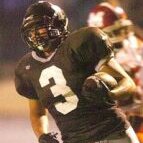
I was at the William and Mary vs. VMI football game Saturday night and the quarterback from VMI was Tim Maypray of Madisonville, KY. He quarterbacked (wearing #28) the Keydets' triple option offense in a losing effort but he did have over 100 yards rushing, including a long touchdown run.


VMI has one other Kentuckian on their roster, Kyle Marston from Shelby County. I didn't see him get into the game. No Kentuckians on the team for William and Mary.

The name didn't ring a bell, so I did a Google search ... Maypray is from Madisonville, but he attended a private school (Randolph Macon Academy) in Virginia.

  • Author
The name didn't ring a bell, so I did a Google search ... Maypray is from Madisonville, but he attended a private school (Randolph Macon Academy) in Virginia.


That makes more sense as to why he is out there, I guess.

He also plays for VMI's basketball team ... I assume some people in Madisonville and/or Hopkins Central are kicking themselves for letting him get away. :lol:

He went to Madisonville his freshman and sophomore years before transferring because of "lack of playing time on the basketball team and a desire to become a fighter pilot."

Being from Hopkins County and being a basketball fan, that name still doesnt ring a bell.

Recently Browsing 0

  • No registered users viewing this page.

Account

Navigation

Search

Search

Configure browser push notifications

Chrome (Android)
  1. Tap the lock icon next to the address bar.
  2. Tap Permissions → Notifications.
  3. Adjust your preference.
Chrome (Desktop)
  1. Click the padlock icon in the address bar.
  2. Select Site settings.
  3. Find Notifications and adjust your preference.