Skip to content
View in the app

A better way to browse. Learn more.

BluegrassPreps.com

A full-screen app on your home screen with push notifications, badges and more.

To install this app on iOS and iPadOS
  1. Tap the Share icon in Safari
  2. Scroll the menu and tap Add to Home Screen.
  3. Tap Add in the top-right corner.
To install this app on Android
  1. Tap the 3-dot menu (⋮) in the top-right corner of the browser.
  2. Tap Add to Home screen or Install app.
  3. Confirm by tapping Install.

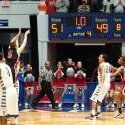
Covington Holy Cross 62 Beechwood 43
Featured Replies

Final from the Finn last night


The last 35th District seeding game this season and with the win the Indians will face Holmes in the District Semifinals at Holmes. Assuming Covington Latin is participating in the District, Beechwood will face the Trojans in the first round with the winner getting Covington Catholic in the semifinals.


Link to Webcast score and stats: CybersportsUSA.com | Webgame

This has to be one of Beechwood's most disappointing games of the year. Beechwood had one 2 point field goal in the first half? Why did JT Toebbe only play 12 minutes?

  • Author

Don't want to go into specifics about playing time, but I can tell you there was a period of time during the game where all of the starters sat.

Holy Cross (13-11) came out with a lot of intensity and energy in this one especially on the defensive end. They made it hard for Beechwood to get anything easy. Jacob Huff who is one of the best guards in the region IMO, had a rough night shooting at 5-18 for his 15 points. Jared Seibert drew the assignment most of the night guarding Huff and did a great job. Tyler Bezold led the Indians with 19 points while Hamilton Scott added 12 off the bench.


HC remaining games:

February 18 at N

HC remaining games:


February 18 at Newport

February 20 vs St. Henry (senior night)

  • Author

BN24, who was the other loss not accounted for on KHSAA? I think you told me the Indians played an Ohio team?

Recently Browsing 0

  • No registered users viewing this page.

Account

Navigation

Search

Search

Configure browser push notifications

Chrome (Android)
  1. Tap the lock icon next to the address bar.
  2. Tap Permissions → Notifications.
  3. Adjust your preference.
Chrome (Desktop)
  1. Click the padlock icon in the address bar.
  2. Select Site settings.
  3. Find Notifications and adjust your preference.