Skip to content
View in the app

A better way to browse. Learn more.

BluegrassPreps.com

A full-screen app on your home screen with push notifications, badges and more.

To install this app on iOS and iPadOS
  1. Tap the Share icon in Safari
  2. Scroll the menu and tap Add to Home Screen.
  3. Tap Add in the top-right corner.
To install this app on Android
  1. Tap the 3-dot menu (⋮) in the top-right corner of the browser.
  2. Tap Add to Home screen or Install app.
  3. Confirm by tapping Install.

Closingtime

Suspended
  • Joined

  • Last visited

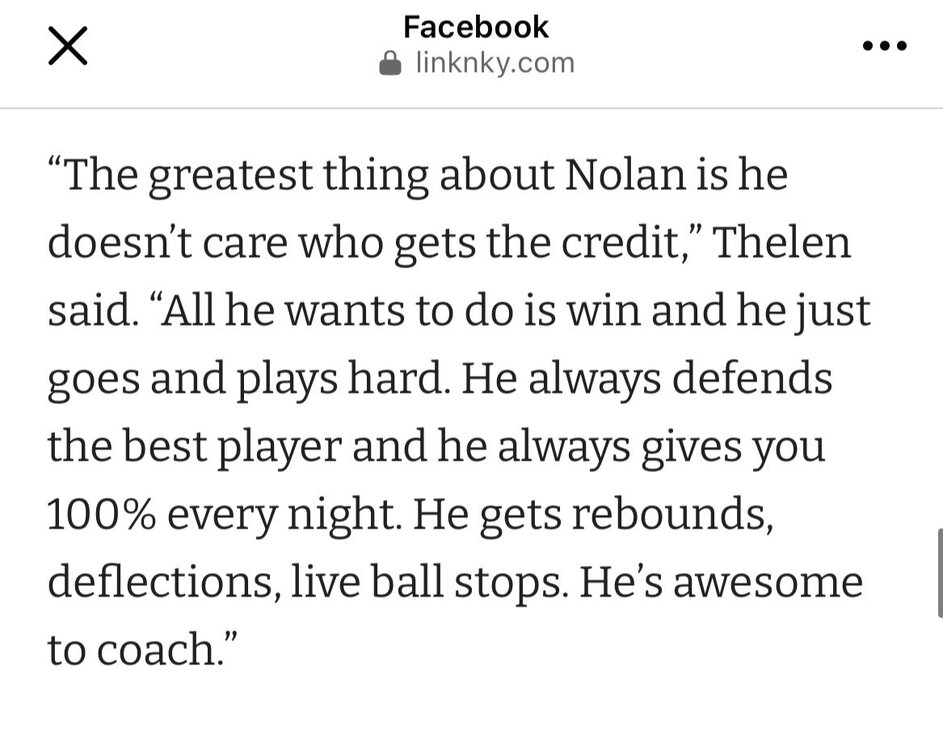
  1. CLEARLY it didn’t work huh? Watch the video above from Inittowinit. Why’s it always the guys that start with “I have no dog in this fight” then give the worst takes. Then try to be speak confidently. Consistently getting proven wrong each time is comedy. On the last point about his brother. This clip is made for people like you. Can’t teach a mentality to people who don’t get it. Add in the subtle Joe D comment. Beautiful timing. 92608931fc3b4c2e9c3c4b6d63d070a4.mov Sure seems like Jake Thelen is enjoying what he’s doing for the team… You got better info than him?
  2. Closingtime changed their profile photo
  3. Great breakdown. Thanks for doing this!
Account

Navigation

Search

Search

Configure browser push notifications

Chrome (Android)
  1. Tap the lock icon next to the address bar.
  2. Tap Permissions → Notifications.
  3. Adjust your preference.
Chrome (Desktop)
  1. Click the padlock icon in the address bar.
  2. Select Site settings.
  3. Find Notifications and adjust your preference.

