Skip to content
View in the app

A better way to browse. Learn more.

BluegrassPreps.com

A full-screen app on your home screen with push notifications, badges and more.

To install this app on iOS and iPadOS
  1. Tap the Share icon in Safari
  2. Scroll the menu and tap Add to Home Screen.
  3. Tap Add in the top-right corner.
To install this app on Android
  1. Tap the 3-dot menu (⋮) in the top-right corner of the browser.
  2. Tap Add to Home screen or Install app.
  3. Confirm by tapping Install.

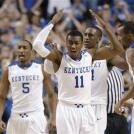
Beechwood 77 Newport 74 2OT!!
Featured Replies

Round 3 of these familiar foes goes to Beechwood again. This was a very exciting but sloppy game. I think Romes had 40 points tonight. Good win for Beechwood going into District First Round game aginst Holmes.

Who got the last shot... or was it that sort of deal...

Newport hit a 3 with about 5 seconds to go and beechwood didnt have to throw the ball in. Newport gave this game away. Had leads of 12 and 10 multiple times and just gave it away. Hopefully we can rebound from this loss and beat NCC in the districts.

Recently Browsing 0

  • No registered users viewing this page.

Account

Navigation

Search

Search

Configure browser push notifications

Chrome (Android)
  1. Tap the lock icon next to the address bar.
  2. Tap Permissions → Notifications.
  3. Adjust your preference.
Chrome (Desktop)
  1. Click the padlock icon in the address bar.
  2. Select Site settings.
  3. Find Notifications and adjust your preference.