Skip to content
View in the app

A better way to browse. Learn more.

BluegrassPreps.com

A full-screen app on your home screen with push notifications, badges and more.

To install this app on iOS and iPadOS
  1. Tap the Share icon in Safari
  2. Scroll the menu and tap Add to Home Screen.
  3. Tap Add in the top-right corner.
To install this app on Android
  1. Tap the 3-dot menu (⋮) in the top-right corner of the browser.
  2. Tap Add to Home screen or Install app.
  3. Confirm by tapping Install.

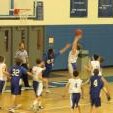
Walton 61 Spencer Co. 60
Featured Replies

  • Author

What a good game it was back and fourth throughout. Spencer jumped to a 8 point lead early then at one time Walton had a 10 point lead. With the game tied Walton inbounded the ball and Shields for Spencer got the ball and called a timeout which Spencer did not have. So with one second left in the game Daugherty went to the line and made one of two T's to seal the win for Walton. It was a good team game all the way around I thought Kirk stepped up big tonight with some good varsity minutes.

  • Author

Also just want to send a get well soon to Jones for Walton who left in the first half for the hospital for some stiches.

Congrats to the Bearcats on the win. I feel for the kid from Spencer that called the timeout that they didn't have, though.

Nice win for the Bearcats. Spencer has played a pretty good schedule with some nice wins of their own. Congrats Bearcats.

Sort of sounds like the 93 ncaa championship game. With Mr. Webber calling a t.o. Great game all around. Kirk stepped up as did Cecil. The bearcats are starting to use the bech more heading down the strech. Game was scarey in the first have with two players bleeding and another getting his head stepped on. I beleive all the games need to have 3 refs to make sure everything goes smoothly. A busted nose, a busted head needing 4 staples and a stepped on head is ridiculous. Good win for the Bearcats keep it rollin'!

Recently Browsing 0

  • No registered users viewing this page.

Account

Navigation

Search

Search

Configure browser push notifications

Chrome (Android)
  1. Tap the lock icon next to the address bar.
  2. Tap Permissions → Notifications.
  3. Adjust your preference.
Chrome (Desktop)
  1. Click the padlock icon in the address bar.
  2. Select Site settings.
  3. Find Notifications and adjust your preference.