Skip to content
View in the app

A better way to browse. Learn more.

BluegrassPreps.com

A full-screen app on your home screen with push notifications, badges and more.

To install this app on iOS and iPadOS
  1. Tap the Share icon in Safari
  2. Scroll the menu and tap Add to Home Screen.
  3. Tap Add in the top-right corner.
To install this app on Android
  1. Tap the 3-dot menu (⋮) in the top-right corner of the browser.
  2. Tap Add to Home screen or Install app.
  3. Confirm by tapping Install.

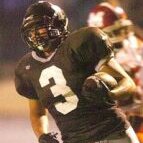
Article about Lincoln County's Miller and Calhoun
Featured Replies

http://www.amnews.com/public_html/?module=displaystory&story_id=29045&format=html


This is Coach Elson's comments about the Danville-area kids they have recruited at Western:


"There's no reason to think these two might not be the best of the whole bunch from that area. I probably got to see these two guys more than any of those other guys from that area. We think they both are definitely Division I players and we are glad they ended up with us because they both have a huge upside."

Good article on these young men. I hope they realize the oppurtunity they have and make the most of it. They will be introduced to a whole new ball game at the college level. Hopefully they will work hard, stay humble and make the most of their oppurtunities.

Recently Browsing 0

  • No registered users viewing this page.

Account

Navigation

Search

Search

Configure browser push notifications

Chrome (Android)
  1. Tap the lock icon next to the address bar.
  2. Tap Permissions → Notifications.
  3. Adjust your preference.
Chrome (Desktop)
  1. Click the padlock icon in the address bar.
  2. Select Site settings.
  3. Find Notifications and adjust your preference.