Skip to content
View in the app

A better way to browse. Learn more.

BluegrassPreps.com

A full-screen app on your home screen with push notifications, badges and more.

To install this app on iOS and iPadOS
  1. Tap the Share icon in Safari
  2. Scroll the menu and tap Add to Home Screen.
  3. Tap Add in the top-right corner.
To install this app on Android
  1. Tap the 3-dot menu (⋮) in the top-right corner of the browser.
  2. Tap Add to Home screen or Install app.
  3. Confirm by tapping Install.

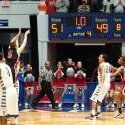
Beechwood 61 Pendleton County 49
Featured Replies

Final from the 7th Place Game in the Bracken County Holiday Tournament


The Tigers were led by Kyle Fieger with 26 points, Jacob Huff with 15 and John Stokes led Beechwood in rebounding with 11 caroms.


The Wildcats were led by Hunter Wood and Lance Jones with 13 points each and Colton Pugh led PC with 11 rebounds.


Beechwood evened their record at 5-5 while Pendleton County dropped to 3-9.


The Tigers next game is home against Newport Central Catholic on Saturday, January 4. The Wildcats will host Bracken County on Friday, January 3 for their next game.

Feiger had a nice game after a slow start. Cats need to build some confidence and intensity, or it's gonna be a long season. I thought Hunter Wood had a very solid effort, attacking the rim well. Stat an, it was good to meet you. We'll see ya in Falmouth in a few weeks.

  • Author
Feiger had a nice game after a slow start. Cats need to build some confidence and intensity, or it's gonna be a long season. I thought Hunter Wood had a very solid effort, attacking the rim well. Stat an, it was good to meet you. We'll see ya in Falmouth in a few weeks.


You as well, last time I was in Falmouth, I was driving for a Home Health Care company shortly after the flood in '97

Recently Browsing 0

  • No registered users viewing this page.

Account

Navigation

Search

Search

Configure browser push notifications

Chrome (Android)
  1. Tap the lock icon next to the address bar.
  2. Tap Permissions → Notifications.
  3. Adjust your preference.
Chrome (Desktop)
  1. Click the padlock icon in the address bar.
  2. Select Site settings.
  3. Find Notifications and adjust your preference.