Skip to content
View in the app

A better way to browse. Learn more.

BluegrassPreps.com

A full-screen app on your home screen with push notifications, badges and more.

To install this app on iOS and iPadOS
  1. Tap the Share icon in Safari
  2. Scroll the menu and tap Add to Home Screen.
  3. Tap Add in the top-right corner.
To install this app on Android
  1. Tap the 3-dot menu (⋮) in the top-right corner of the browser.
  2. Tap Add to Home screen or Install app.
  3. Confirm by tapping Install.

achs79

Standard Membership
  • Joined

  • Last visited

Everything posted by achs79

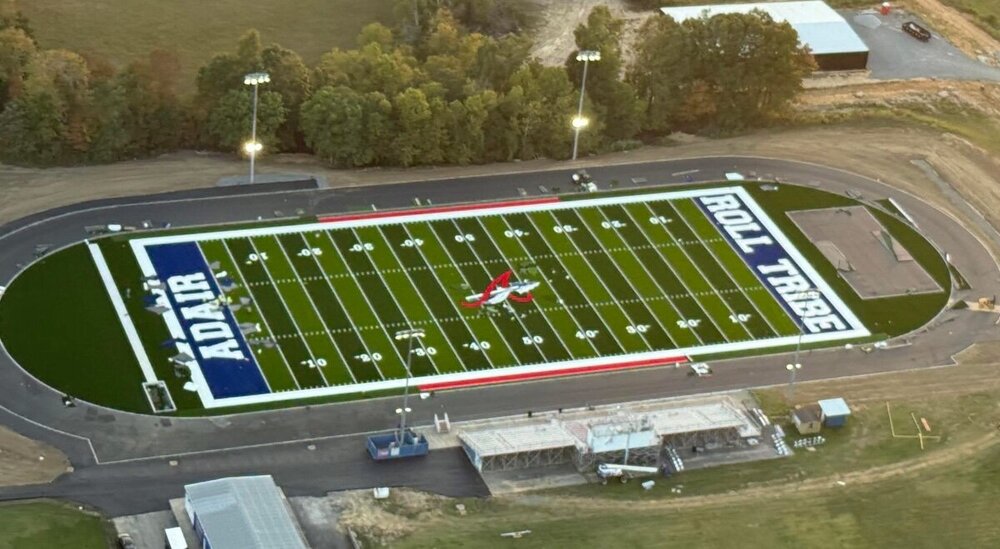
  1. The new turf field at Adair County, hopefully will be ready for Friday’s game against Glasgow! Still need to put up the goal posts and play clocks! There will also be a new video scoreboard
  2. Most of the players are young! 8th graders, sophomores, and I think one senior. The first six players have started or played a bunch of varsity minutes!
  3. Tough 1st half, but the Indian defense was solid throughout the game!
  4. So proud of the young men on Adair’s team! They showed discipline under the pressure of the game! It was a rough physical game! Dawson Gilbert was on fire from three! Not many teams have four players who are in the 1,000 pt club, with one who is close to the 3,000 point mark! Congrats on a tough win! Caverna has some great athletes and if clicking they are very good!


Account

Navigation

Search

Search

Configure browser push notifications

Chrome (Android)
  1. Tap the lock icon next to the address bar.
  2. Tap Permissions → Notifications.
  3. Adjust your preference.
Chrome (Desktop)
  1. Click the padlock icon in the address bar.
  2. Select Site settings.
  3. Find Notifications and adjust your preference.