Skip to content
View in the app

A better way to browse. Learn more.

BluegrassPreps.com

A full-screen app on your home screen with push notifications, badges and more.

To install this app on iOS and iPadOS
  1. Tap the Share icon in Safari
  2. Scroll the menu and tap Add to Home Screen.
  3. Tap Add in the top-right corner.
To install this app on Android
  1. Tap the 3-dot menu (⋮) in the top-right corner of the browser.
  2. Tap Add to Home screen or Install app.
  3. Confirm by tapping Install.

Beechwood/Holy Cross Updates
Featured Replies

I may or may not be doing my usual updates tonight. I am experimenting with Webcasting our home games on cybersportsusa.com. If someone could give me a heads up as to whether or not it is working that would be great. Also, CovCathIRadio is broadcasting the action on internet radio this evening, although I do not see them in the gym as of yet. JV game just got over.

Any updates?

  • Author
Any updates?


I was able to get cybersportsusa.com webcast to work.


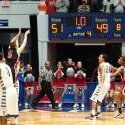
:6.7 left in the 4th Qtr HC 58-56 Beechwood has not made a 3 all game, they got a basket with 2 seconds to go in regulation. Half court shot by Burger, no good...OT.

I was able to get cybersportsusa.com webcast to work.


:6.7 left in the 4th Qtr HC 58-56 Beechwood has not made a 3 all game, they got a basket with 2 seconds to go in regulation. Half court shot by Burger, no good...OT.


Where do I go on cybersports?

62-59 Beechwood in OT 2:56 to go

Never mind. Got it 62-58 B-Wood in OT

64 all with 1:27 to go. HC ball

66-64 HC Beechwood ball

Burger 0-12? And HC has a chance?

67-66 Beechwood HC ball

69-67 HC final score after a Joey Allen three

The All A tournament is strange for HC in recemt years.

Guest
This topic is now closed to further replies.

Recently Browsing 0

  • No registered users viewing this page.

Account

Navigation

Search

Search

Configure browser push notifications

Chrome (Android)
  1. Tap the lock icon next to the address bar.
  2. Tap Permissions → Notifications.
  3. Adjust your preference.
Chrome (Desktop)
  1. Click the padlock icon in the address bar.
  2. Select Site settings.
  3. Find Notifications and adjust your preference.