Skip to content
View in the app

A better way to browse. Learn more.

BluegrassPreps.com

A full-screen app on your home screen with push notifications, badges and more.

To install this app on iOS and iPadOS
  1. Tap the Share icon in Safari
  2. Scroll the menu and tap Add to Home Screen.
  3. Tap Add in the top-right corner.
To install this app on Android
  1. Tap the 3-dot menu (⋮) in the top-right corner of the browser.
  2. Tap Add to Home screen or Install app.
  3. Confirm by tapping Install.

Camels Freshman Split Doubleheader with Mason County
Featured Replies

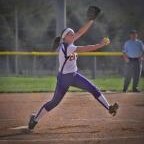
After a bit of a delay, the Lady Camels won the first and loss the second in a great evening of softball. I think this is a great group of eighth and ninth graders that show great promise in the next few years...all you camel bashers...watch out!:D The entire group of girls,( freshman, JV and Varsity) has improved and continues to improve, and most importantly, they are smiling out there and really coming together as a team. Sorry, don't have the scores, I was busy visiting and taking pictures.

We need to come up with the scores and then you can repost the thread.

Guest
This topic is now closed to further replies.

Recently Browsing 0

  • No registered users viewing this page.

Account

Navigation

Search

Search

Configure browser push notifications

Chrome (Android)
  1. Tap the lock icon next to the address bar.
  2. Tap Permissions → Notifications.
  3. Adjust your preference.
Chrome (Desktop)
  1. Click the padlock icon in the address bar.
  2. Select Site settings.
  3. Find Notifications and adjust your preference.