Skip to content
View in the app

A better way to browse. Learn more.

BluegrassPreps.com

A full-screen app on your home screen with push notifications, badges and more.

To install this app on iOS and iPadOS
  1. Tap the Share icon in Safari
  2. Scroll the menu and tap Add to Home Screen.
  3. Tap Add in the top-right corner.
To install this app on Android
  1. Tap the 3-dot menu (⋮) in the top-right corner of the browser.
  2. Tap Add to Home screen or Install app.
  3. Confirm by tapping Install.

Highlands Live Radio Show!
Featured Replies

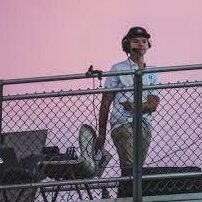
For the next Highlands Live Sports Radio Show, we will be live with the Bluebird Basketball programs! Tomorrow (12/11) from 6:30-7:30, get a chance to hear from players and Coach Richey and Listerman on the Highlands Basketball season and future. The event will be live from Barleycorn's Cold Spring, and it will be live broadcasted on bluebirdsradio.com . 

  • Author
On 12/10/2024 at 8:18 AM, Brennan_Bucher said:

For the next Highlands Live Sports Radio Show, we will be live with the Bluebird Basketball programs! Tomorrow (12/11) from 6:30-7:30, get a chance to hear from players and Coach Richey and Listerman on the Highlands Basketball season and future. The event will be live from Barleycorn's Cold Spring, and it will be live broadcasted on bluebirdsradio.com . 

Tonight! Get a chance to hear from Coach Listerman and other bluebirds about their 2-0 start! http://www.bluebirdsradio.com ! 

Recently Browsing 0

  • No registered users viewing this page.

Account

Navigation

Search

Search

Configure browser push notifications

Chrome (Android)
  1. Tap the lock icon next to the address bar.
  2. Tap Permissions → Notifications.
  3. Adjust your preference.
Chrome (Desktop)
  1. Click the padlock icon in the address bar.
  2. Select Site settings.
  3. Find Notifications and adjust your preference.