Skip to content
View in the app

A better way to browse. Learn more.

BluegrassPreps.com

A full-screen app on your home screen with push notifications, badges and more.

To install this app on iOS and iPadOS
  1. Tap the Share icon in Safari
  2. Scroll the menu and tap Add to Home Screen.
  3. Tap Add in the top-right corner.
To install this app on Android
  1. Tap the 3-dot menu (⋮) in the top-right corner of the browser.
  2. Tap Add to Home screen or Install app.
  3. Confirm by tapping Install.

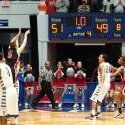
Beechwood 100 Riverview East Academy (OH) 47
Featured Replies

Tiger starters were out late in the 1st half.


Scott Draud led Beechwood with 19.


Halftime was 64-24, the Hawks had 18 turnovers to Tigers 17 assists in that half.

  • Author

This was part of a home and home agreement, but was moved to Beechwood because of flooding near their campus.

This was part of a home and home agreement, but was moved to Beechwood because of flooding near their campus.


I get that but why would Beechwood schedule this type of opponent?

Recently Browsing 0

  • No registered users viewing this page.

Account

Navigation

Search

Search

Configure browser push notifications

Chrome (Android)
  1. Tap the lock icon next to the address bar.
  2. Tap Permissions → Notifications.
  3. Adjust your preference.
Chrome (Desktop)
  1. Click the padlock icon in the address bar.
  2. Select Site settings.
  3. Find Notifications and adjust your preference.